
Accounting and Finance
Accounting & Finance
Your agency's finances, in the same system as your operations
In Turasistan App, accounting is not a separate program but a natural continuation of your operations. The moment a reservation is made, the sales invoice is created, the customer's balance is reflected in their account and the collection process begins.
Accounts, cash, bank, collections, e-invoices and reports sit in one panel, so you always know who owes you how much and where your cash stands. The Accounting and Finance module is included in the Full Package.
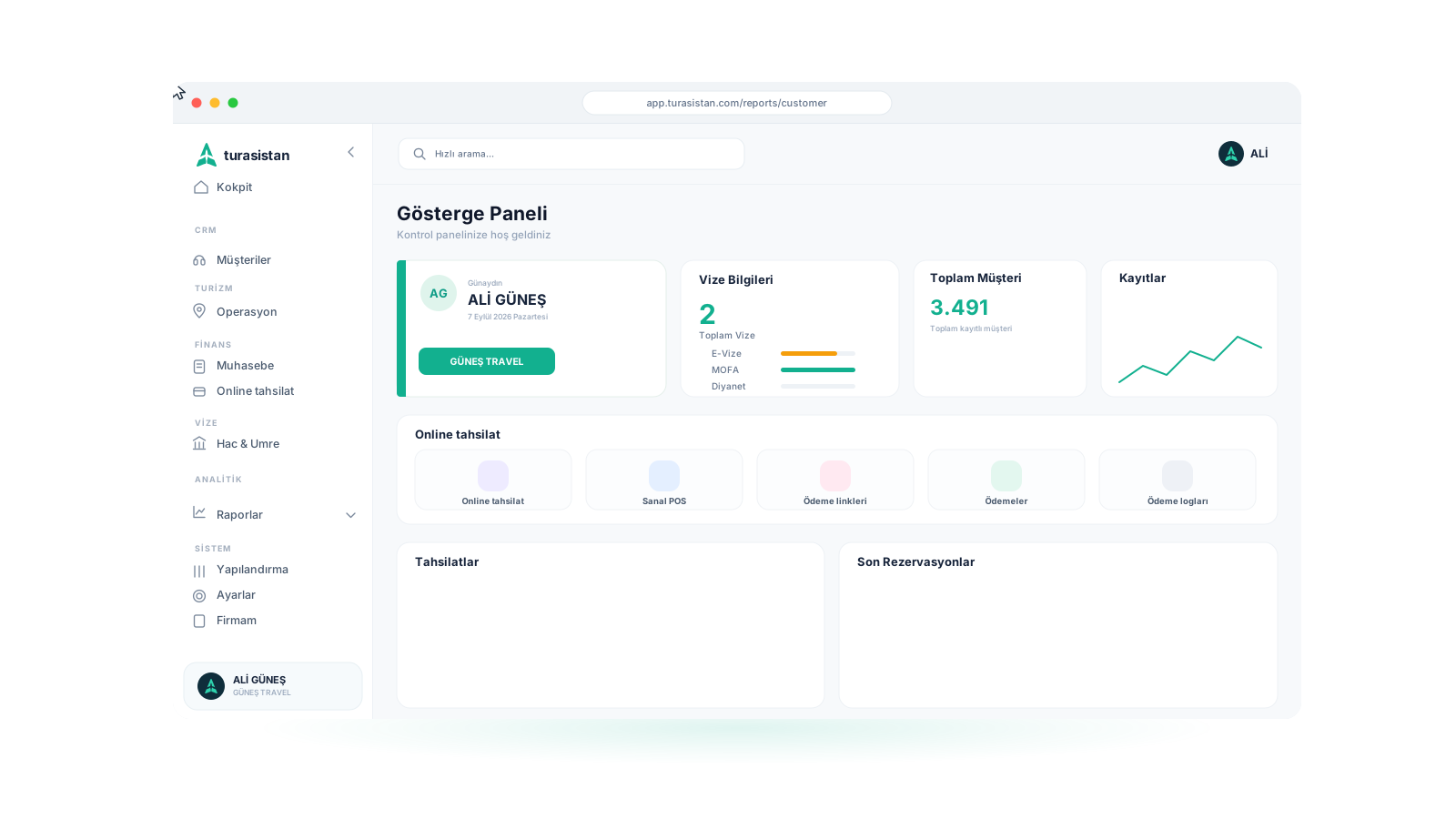
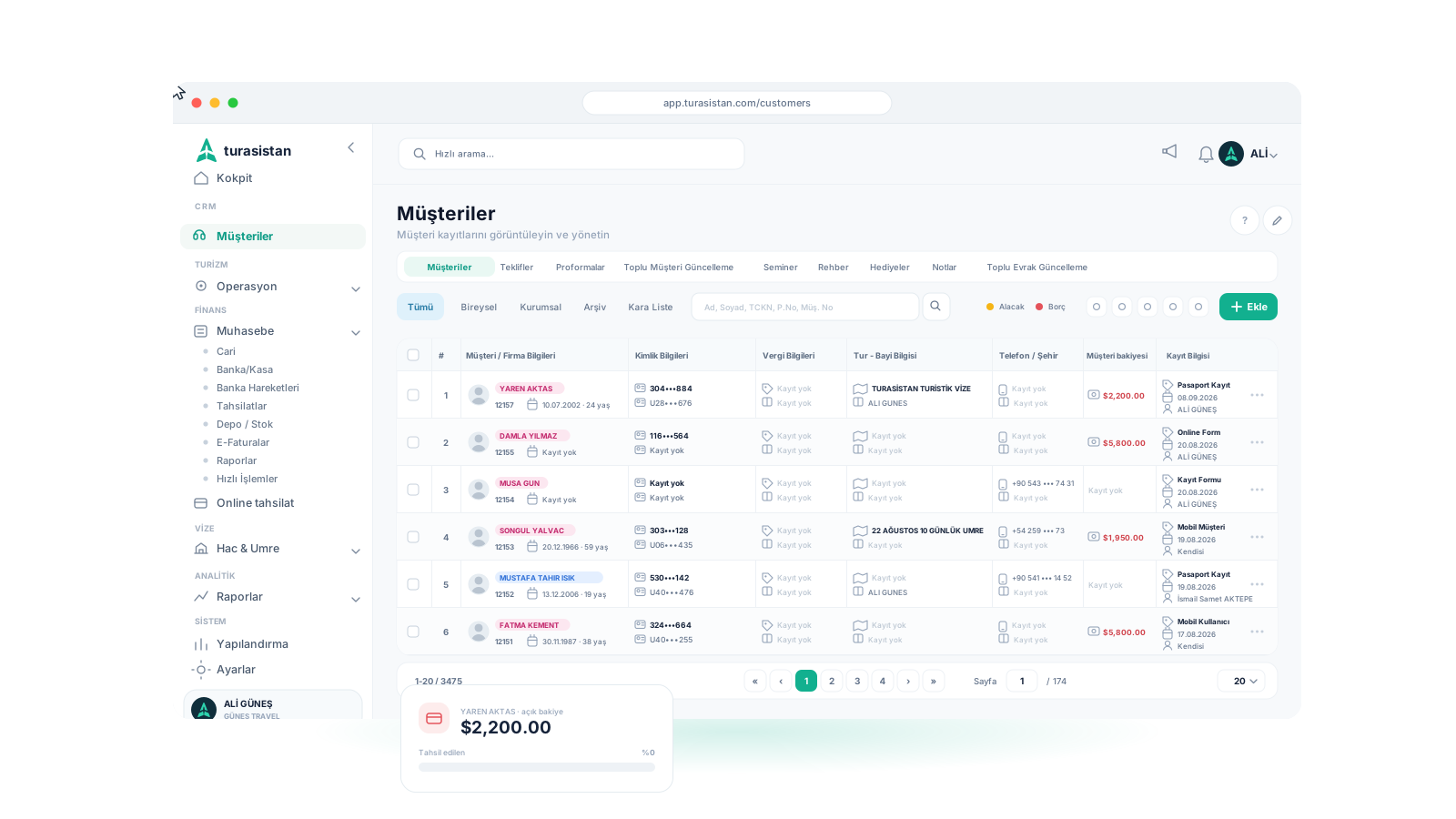
— Invoicing & accounts
Automatic invoicing and account tracking
The sales invoice is created automatically with every reservation, so there is no need to issue it separately. Each customer's and company's debit, credit and balance are updated in their account in real time.
Filter customers with receivables or payables in the customer list, and view account movements from the customer details.
- ✓Automatic sales invoice with every reservation
- ✓Accounts per customer and per company
- ✓Real-time debit, credit and balance tracking
- ✓Filters for customers with receivables and payables
- ✓Account movement history
— Cash & collections
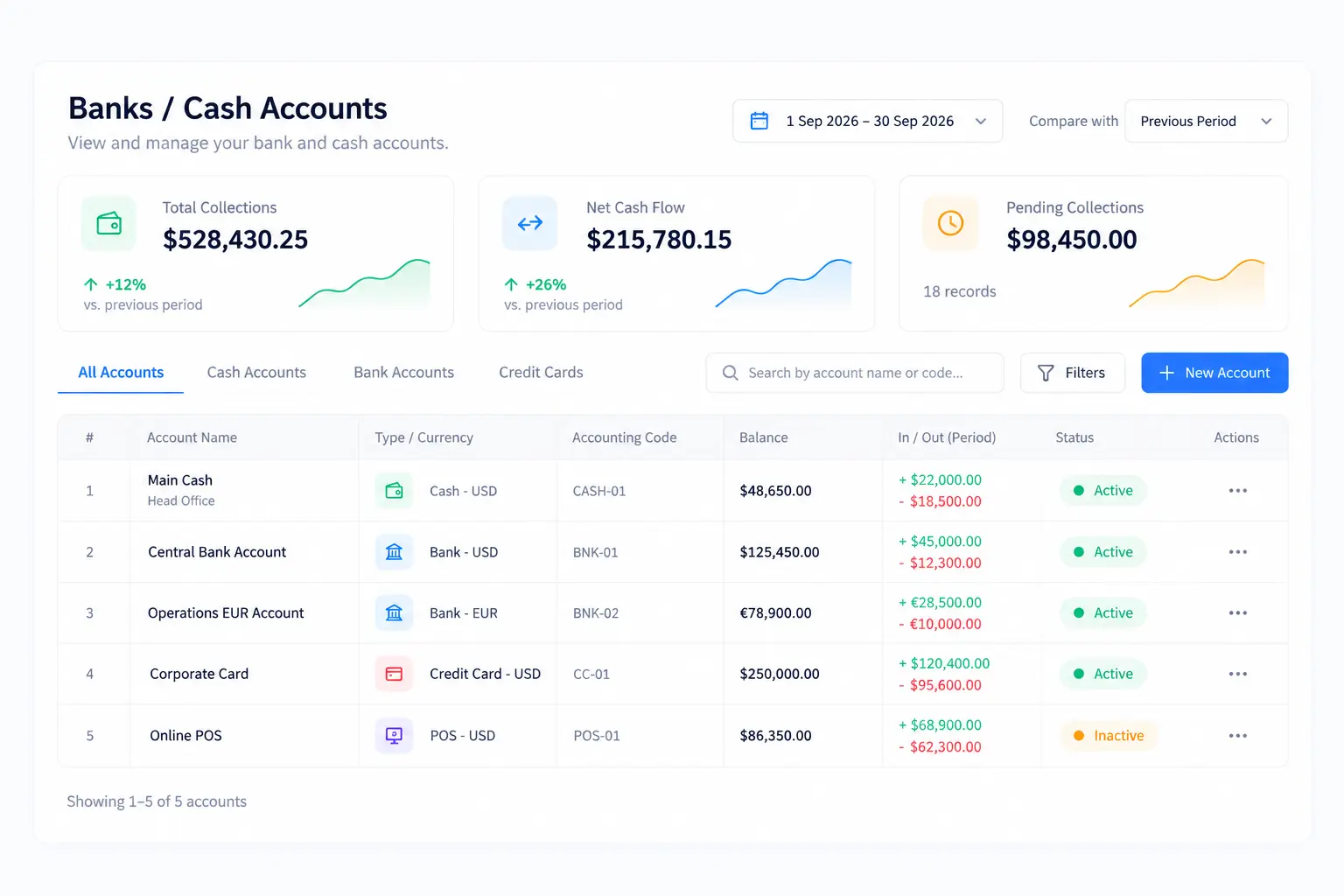
Cash, bank and collections on one screen
Define your cash and bank accounts and track your bank transactions. Record money in and money out manually; enter several collections at once or import your collections from Excel.
On the collections screen, see your period collections, net cash flow and pending collections in different currencies, alongside their TRY equivalents. Compare with the previous period and filter by season, tour and accounting tags.
- ✓Cash and bank accounts, bank transactions
- ✓Money in and money out
- ✓Bulk collections and importing collections from Excel
- ✓Approval workflows
- ✓Bank transfer, cash, credit card and installment collections
- ✓Different currencies such as USD, EUR and TRY, with TRY equivalents
- ✓Period collections, net cash flow and pending collection summaries
- ✓Filtering by season, tour and accounting tag
— Online payment
Online collection with payment links
Click "Take payment" in the customer list and the customer's balance fills in the amount automatically, with the TRY equivalent calculated at the current exchange rate. You decide how long the link stays valid and whether it is single-use; the message text is prepared automatically and the short link reaches the customer's phone by SMS.
Your customer enters their card details on a payment page available in Turkish, English, French or Arabic; card data is never stored on your side. Once the payment is approved, the collection is posted to accounting automatically, the balance is closed and you are notified.
For details, visit our Online Payment Solutions page.
- ✓Automatic payment link with "Take payment"
- ✓Amount filled from the balance, TRY equivalent at the current rate
- ✓Link validity, payment due date and single-use link option
- ✓Short link by SMS with a ready-made message
- ✓Secure payment page in 4 languages with 256-bit SSL
- ✓Receipt for the customer, automatic notification for the agency
- ✓Collection posted to accounting automatically
— Quotes, e-invoices & stock
Quotes, costing, e-invoices and stock
Prepare quotes and pro forma invoices for your customers and calculate the cost of your tours. Manage your e-invoices within the system through the Uyumsoft integration.
Track warehouses and stock for your gift items and other inventory, and transfer stock between warehouses.
— Reports
Your financial reports, ready to go
Get your accounting report, your cash profit and loss based on your selection, and your sales reports from the system. Your collections and online payment summary greets you on the dashboard every time you log in.
- ✓Accounting report
- ✓Cash profit and loss report (selection-based)
- ✓Agency sales report
- ✓Dealer performance report
- ✓Collections and online payment summary on the dashboard
How does it work?
Set up your accounts
Enter your cash, bank and virtual POS details.
Make the sale
Let the reservation create the sales invoice and account balance automatically.
Collect
Send a payment link or record bank transfer, cash and card collections.
Track
Monitor pending collections and cash flow in real time.
Report
Get accounting, cash profit and loss and sales reports.
Ready to run your finances alongside your operations?
Bring invoicing, collections and financial reports together with Turasistan App.
No. The sales invoice is created automatically the moment a reservation is made and is reflected in the customer's account.