
Passport Scanning
Scan the passport, the record is ready
In peak season, typing hundreds of passports into the system one by one takes hours and invites errors. A single wrong character in a passport number can send the work back to the start at the visa stage.
With Turasistan Reader, passport data is never typed by hand: the phone reads the passport chip via NFC and transfers the data and photo straight to the traveler record. Because the data comes from the passport's own chip, it is the most reliable way to register a traveler.
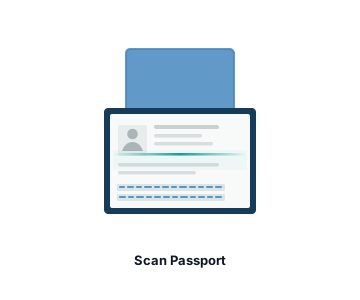
Data read successfully
Passport data and photo
Traveler record
In short
Hold the passport to the phone, and the record is ready.
NFC
Passport data comes directly from the passport's own chip, reducing manual entry and registration errors.
Traditional method vs. Turasistan
TRADITIONAL
Traditional method
Passport data is typed in field by field
The passport photo is scanned and uploaded separately
Typos only surface at the visa stage
Package and room are entered separately after registration
The traveler has to bring the passport to the office
A desktop reader device is required
TURASISTAN
With Turasistan
Data is read from the passport chip via NFC
Data and photo are transferred to the record together
Accurate data from the start, and the visa transfer runs on it
Package and room type are selected during the transfer
A passport photo sent by the traveler is added from the gallery
An NFC-enabled phone is enough
How does it work?
You can scan passports not only on mobile but also in the web panel: upload a passport photo and the data is read via OCR. If neither is possible, manual entry is also available.
Who is it for?
01
Hajj and Umrah agencies registering hundreds of Umrah travelers' passports in peak season
02
Agencies collecting registrations in the field, at seminars or at branches
03
Visa consultancy companies running many visa operations with passport data
Learn more
See how passport registration connects with group, visa and Diyanet processes on our Hajj & Umrah Management page, and the customer card on our CRM and Communication page. For the app itself, visit our Turasistan Reader product page. Passport scanning is included in both the Visa Package and the Full Package.
Explore CRM & Communication →Yes. You can register travelers by reading the passport photo (OCR) or by manual entry. For the most reliable result, we recommend reading the chip with an NFC-enabled phone.