
Diyanet Operations
Diyanet Transfer
Traveler transfer for the Diyanet card, with one command
For your Umrah travelers' Diyanet card process, entering each traveler's details and passport-style photo into the Diyanet Hajj and Umrah Software Portal one by one takes days in peak season.
Because your travelers are already registered in Turasistan App, Trobot handles this transfer for you: it transfers the travelers to the tour you opened on Diyanet and sends the required photos too. The same details are never typed twice, and photos are never uploaded one at a time.
— Trobot
What does Trobot send to Diyanet?
Travelers
Transfers the travelers you select to the tour you opened on Diyanet.
Photos
Sends the required photos after the traveler details.
Live results
Shows a successful, warning, error or skipped status for each traveler; one faulty traveler does not stop the whole group.
Tracking in Turasistan
You can also see the transferred travelers and photo status in Turasistan.
— Tour matching
A one-to-one match with your Diyanet tour
Once you open the tour on the Diyanet Hajj and Umrah Software Portal, all you need to do is enter the tour code Diyanet gives you as the name of the Diyanet group in Turasistan. The tour is matched across both systems before the transfer, so travelers go to the right tour.
On Diyanet, Diyanet card processing covers at most 19 people per tour. For larger groups, you open additional tours on Diyanet and create a separate Diyanet group in Turasistan for each.

— Foreign nationals
Foreign national travelers
For foreign national travelers without a Turkish ID number, a representative ID number is obtained through the foreign national registration on the Diyanet portal. Once you add this number to the customer record in Turasistan, the traveler is transferred like everyone else.
— Reports
Diyanet reports and Hajj details
With the Diyanet statistics report (Full Package), you get Diyanet-related figures straight from the system. You can also filter customer reports by Hajj province and Hajj type.
How does it work?
Before you start, travelers' ID details and passport-style photos must be registered in Turasistan.
Define your account
Define your Diyanet account once in the visa settings in Turasistan.
Open the tour on Diyanet
Create the tour on the Diyanet Hajj and Umrah Software Portal and get the tour code.
Create the Diyanet group
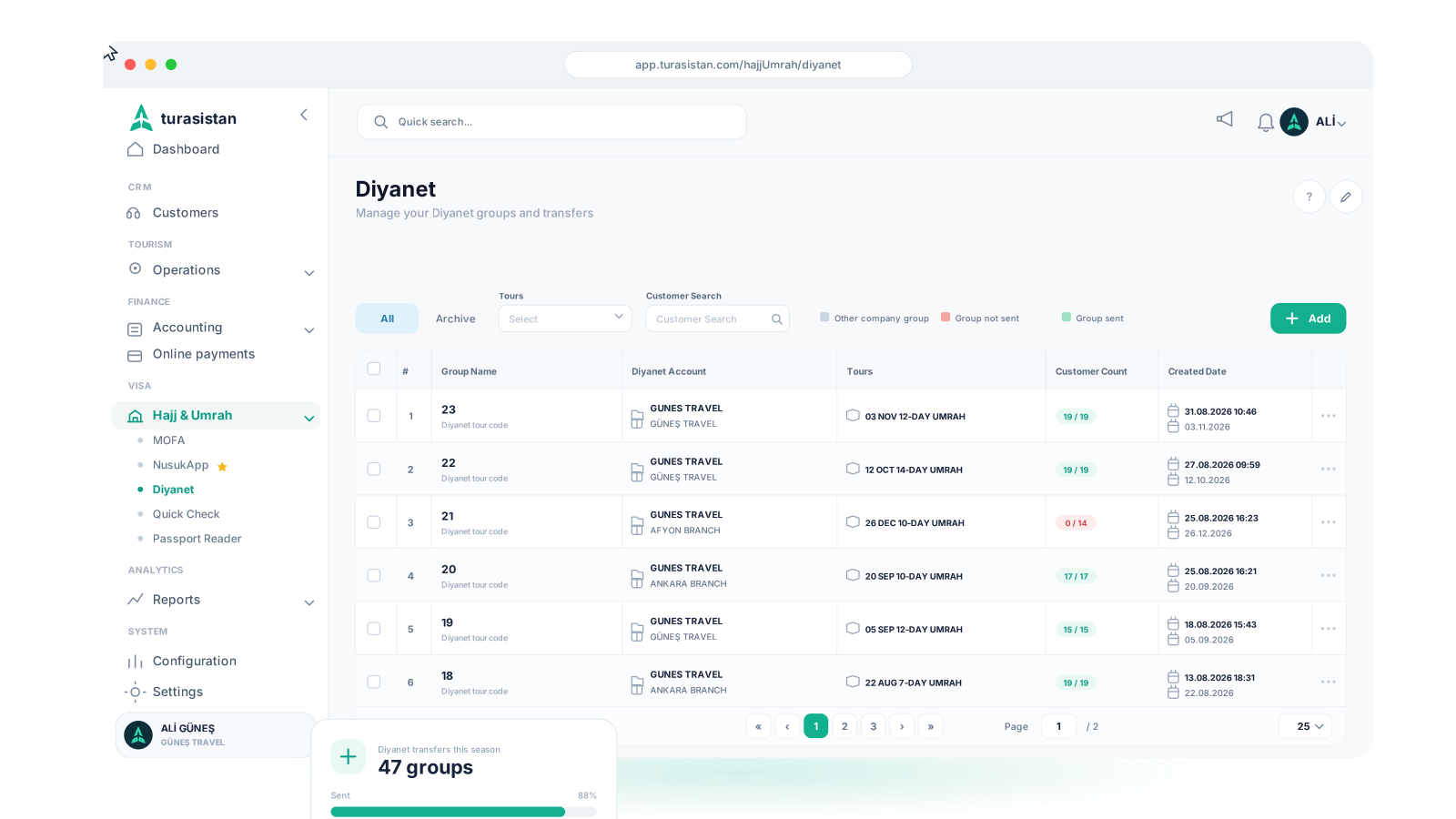
On the Hajj & Umrah → Diyanet screen, enter the tour code as the group name and select up to 19 travelers.
Send to DİB
Choose "DİB'e Gönder" (Send to DİB) from the group menu and let Trobot transfer the travelers and photos.
Check the result
Follow the transfer result and complete the final steps on the portal, such as the tour cover letter and insurance documents.
— Explore more
Learn more
See how Diyanet operations connect with the rest of your group operation on our Hajj & Umrah Management page, and Trobot's visa-side transfers on our Visa Submission page. The Diyanet integration is included in both the Visa Package and the Full Package.
Ready to send your travelers to Diyanet with one command?
Let Trobot transfer your travelers and their photos to your Diyanet tour.
Open the tour on the Diyanet Hajj and Umrah Software Portal and enter the tour code Diyanet gives you as the group name in Turasistan; Trobot handles the traveler and photo transfer